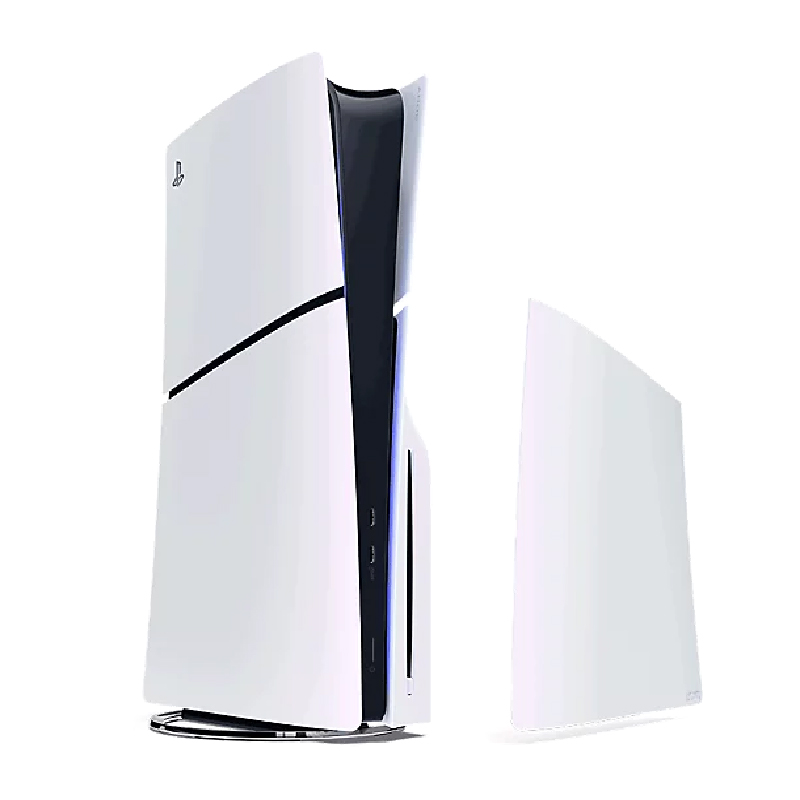
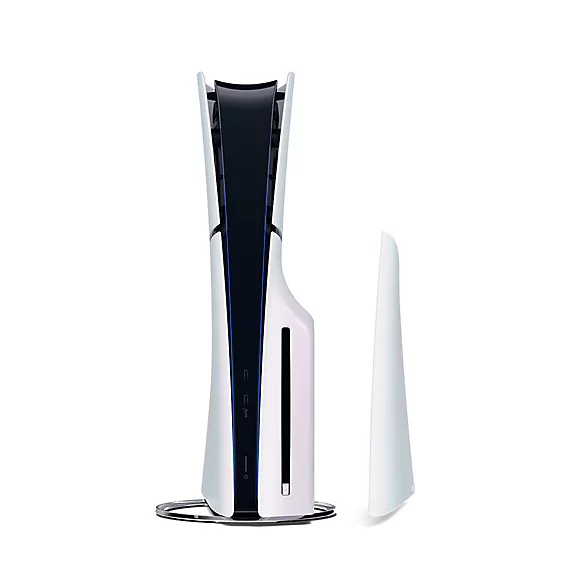
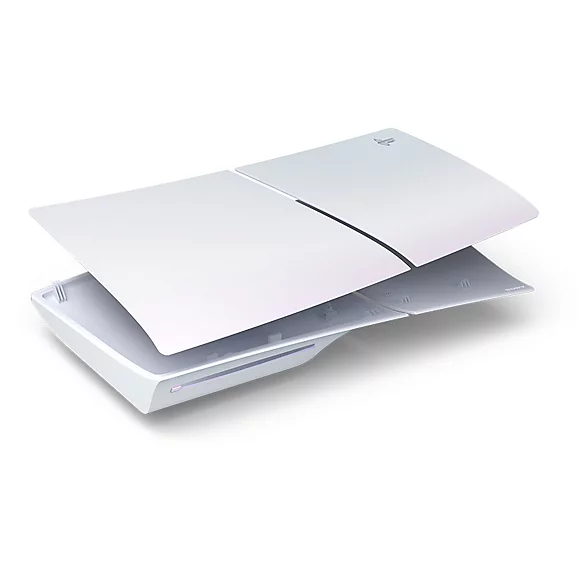
How to remove and replace the PS5™ console cover
| The top PS5 console cover has a PlayStation Logo.
Step 1 Turn off your PS5 console. Remove all cables and devices from your PS5 console. Wait a while for your PS5 console to cool down.
Step 2 Place your PS5 console on a flat surface with a protective covering and remove the base.
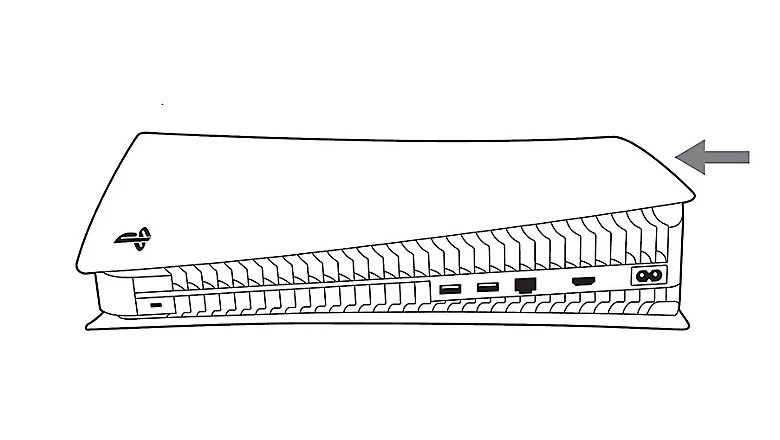
Step 3 Position your PS5 console so that the PS logo is facing up and the power button is facing away from you.
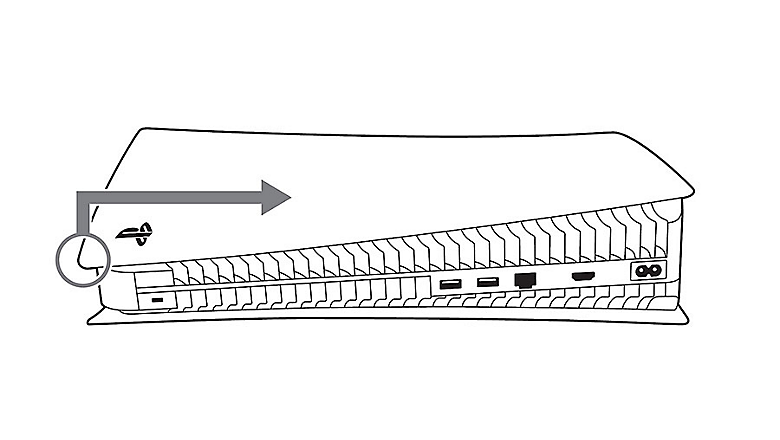
Step 4 Grip the bottom left corner of the cover and remove it by slightly pulling up and to your right. The cover lifts away. |
 |
 |
Step 5
Attach the new top cover by sliding it on from right to left. You’ll hear a click when the cover is secured.
Step 6 Connect the AC power cord, cables and base, and then turn on the power. Or, to attach a new bottom cover, follow the steps below. |
| The bottom PS5 console cover doesn’t have a PlayStation Logo.
Step 1 Turn off your PS5 console. Then remove all cables and devices from your PS5 console. Wait a while for your PS5 console to cool down.
Step 2 Place your PS5 console on a flat surface with a protective covering and remove the base.
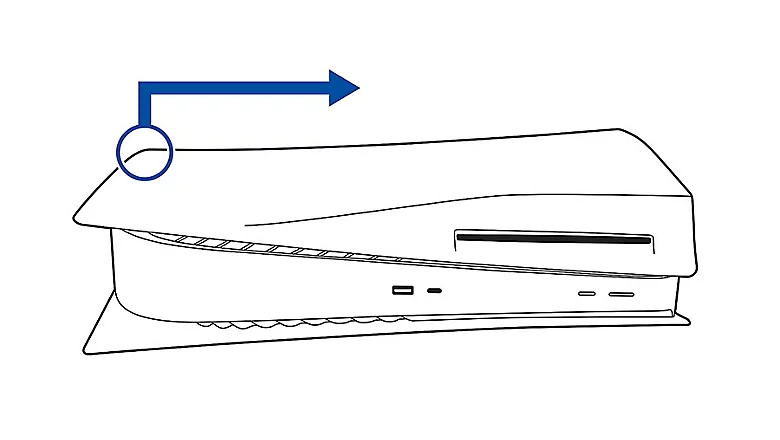
Step 3 Position your PS5 console so that the PS logo is facing down and the power button is facing towards you.
Step 4 Grip the top left corner of the cover and remove it by slightly pulling up and to your right. The cover lifts away. |
 |
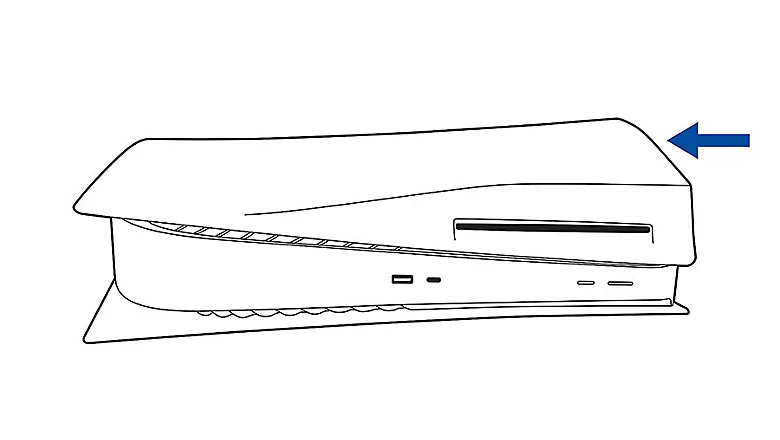 |
Step 5
Attach the new bottom cover by sliding it on from right to left. You’ll hear a click when the cover is secured.
Step 6 Connect the AC power cord, cables and base, and then turn on the power. |